Rayman Legends Retold Controls & Accessibility
Remap inputs, tune assists, and prepare for Murfy prompts, Fairy Radiance, and dragon rides.
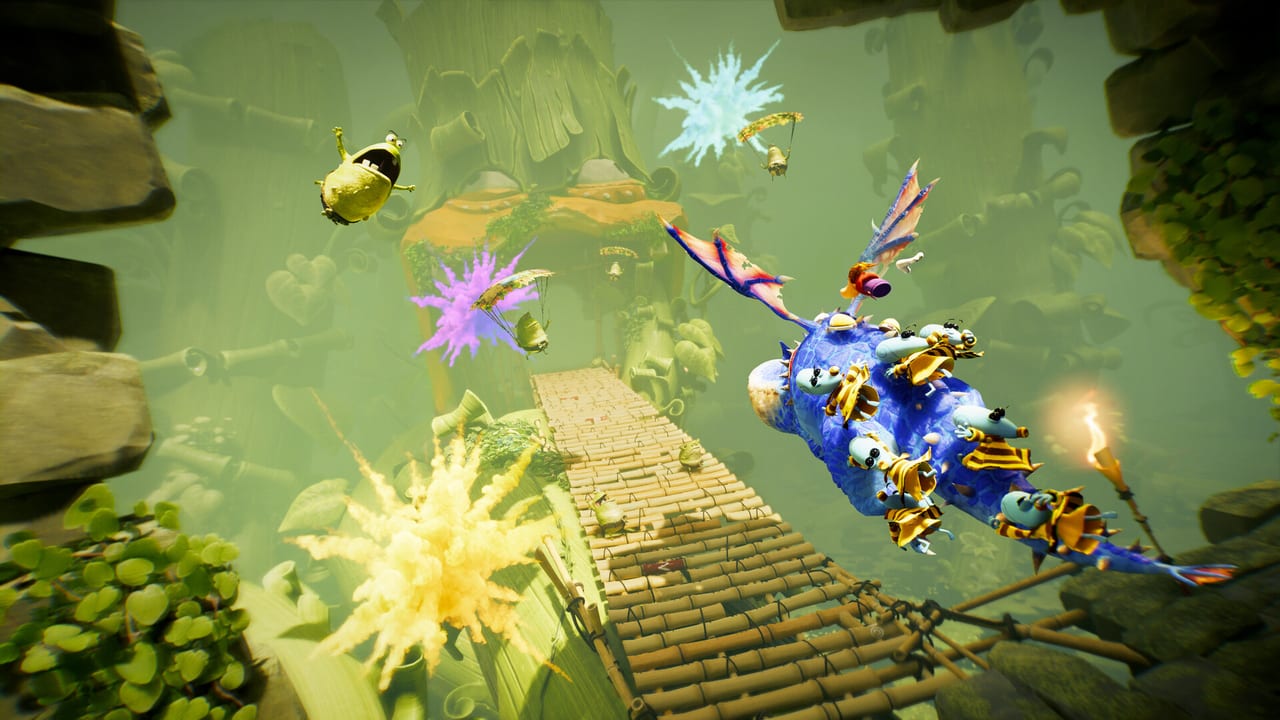
Mastering movement is the difference between a clean Teensie rescue and a pit full of bubbles. Rayman Legends Retold rebuilds the 2013 Rayman Legends control fantasy on Snowdrop with fuller 3D cameras, remappable inputs on every platform, and a deep accessibility suite. This guide explains how to set up controls before your first real hub run, what default assists exist, and how special systems such as Murfy prompts, Fairy Radiance, Fairy Blaze, and dragon rides change the button language mid-level.
If you have not finished onboarding yet, skim the Getting Started guide first, then return here before a four-player night described in the Co-op guide.
Platforms and input devices
Retold launches December 3, 2026 on PlayStation 5, Xbox Series X|S, Nintendo Switch 2, and PC (Steam, Epic Games Store, Ubisoft Connect), with GeForce Now and Blacknut listed for cloud play. Ubisoft documents:
- Full remapping of gameplay controls for gamepad and keyboard on all platforms.
- PC support for both keyboard/mouse and gamepads, including mixed setups useful in local multiplayer.
- Predefined control presets and clearer remapping visualizations so couch groups can understand mappings at a glance.
- Hold / toggle choices for supported actions such as glide, run, and certain Murfy interactions (for example Murphy: Eat Cake).
- X and Y axis inversion for sticks and mouse during ride gameplay.
- Vibration intensity that can be reduced or turned off, plus optional camera-shake disable.
There are no QTEs (quick time events). Important progression information is not communicated exclusively through audio cues — helpful when a living-room soundtrack is loud.
Core movement vocabulary
Expect the classic Legends verbs: move, jump, attack / hit, glide where available, and interact with Murfy when prompts appear. Exact face-button labels depend on your preset and platform, so open the remapping screen after install instead of memorizing a third-party chart. On PC, decide early whether Player 1 prefers keyboard/mouse or a pad; additional local players generally want controllers.
Hearts protect against hits, but they do not stop falls into pits or certain instant hazards. Train yourself to treat bottomless drops as separate failure cases from combat damage — especially in invaded runs and musical stages where rhythm pushes you forward.
Murfy assist prompts
Murfy remains the environmental helper. Prompts appear when a specific action is available; each command solves a particular obstacle rather than acting as a free-form power:
- Tickle — distracts armored enemies such as minotaurs, ogres, or cyclops so a crushing attack can land. Default mash-style inputs can be eased with Automatic Action (press once to start, again to stop).
- Cut — severs ropes and chains, dropping spiked pillars or opening dungeon routes.
- Crank — turns wooden gears so passages open and elevators rise.
In four-player co-op, assign one person to Murfy triggers while others clear enemies and grab caged Teensies. That division of labor is often cleaner than four players fighting over the same prompt. More multiplayer etiquette lives in the Co-op guide.
Fairy Radiance and Fairy Blaze
Fairy Radiance (also called the Power of Light) is granted by Betilla and is central to the Land of the Livid Dead. Heroes gain a yellow-light aura and can throw or emit light that cleanses objects infected by dark purple corruption (“Radiance”), removes or transforms obstacles, and leaves enemies vulnerable. Default documentation references a face-button style input (for example B / Circle / A depending on layout). Automatic Action can emit circles of light at intervals after a single press; press again to stop.
Fairy Blaze appears in specific realm sections. To avoid spam, Automatic Action can throw Fairy Blaze at regular intervals after one press; a second press stops it. Default documentation references X / Square-style inputs depending on layout.
Practice these in context when the game introduces them — do not expect every early Old Teensie Kingdom stage to require Radiance. Save dedicated mastery for the sixth realm’s five new stages.
Fairy Blessing (optional assist)
Fairy Blessing is an optional Betilla blessing you can enable from Settings or by speaking with Betilla. After repeated deaths at the same checkpoint, Betilla may offer it; you can accept, decline, disable the offer permanently, or turn it on manually later.
When active (default invoke/remove: L2 / LT / ZL), Fairy Blessing:
- Prevents damage
- Allows flying, including through breakable obstacles
- Revives you and floating allies
In the Land of the Livid Dead, colliding with corrupted elements while Fairy Blessing is active replaces the normal Fairy Radiance interaction. That is an intentional assist tradeoff, not a bug.
Unavailable in: hubs, Kung Foot Evo, and all Cave of Trials challenges. If the button does nothing there, the restriction is by design so scores stay comparable. See Kung Foot Evo and Cave of Trials.
Golden Heart and other comfort options
If enabled, a Golden Heart can spawn after a certain number of deaths at the same checkpoint. It functions like a Red Heart but protects from an extra hit — useful while learning a brutal segment without fully enabling Fairy Blessing.
Visual and readability options include High Contrast Mode, gameplay-element highlighting, adjustable HUD backgrounds, Arachnophobia Mode (removes spiders from backgrounds), subtitle size and background opacity, speaker names, and an alternative sans-serif font. Audio offers separate sliders for master, music, ambient, SFX, voice, and UI.
Dragon rides and musical timing
Dragon rides add four-way flight movement, fire breath where prompted, and Teensie escort moments. Use axis inversion if the camera feel fights your hands, and enable Autoshoot during rides if repeated fire inputs are uncomfortable.
Musical stages — including four new tracks — ask you to jump and collect Lums on the beat. Controls themselves stay familiar; the skill ceiling is timing. Lower music volume slightly if voice chat competes, but keep enough music audible to read the rhythm.
Recommended setup before a serious run
- Open remapping and pick a preset closest to your muscle memory, then tweak outliers.
- Set glide and run to hold or toggle based on comfort.
- Decide whether Fairy Blessing is on for learning nights or off for score-oriented clears.
- Enable Automatic Actions for Fairy Blaze, Fairy Radiance, or tickling if mash inputs cause strain.
- Invert ride axes if needed; test once on a dragon segment before a long session.
- Disable camera shake and tune vibration if motion or haptic feedback distracts you.
- Confirm every local player’s device is recognized before entering a level — mid-stage reconnects waste checkpoints.
How controls connect to the rest of the wiki
Movement knowledge pays off everywhere: early hubs in Getting Started, shared-screen etiquette in Co-op, flight segments in Dragon rides, rhythm levels in Musical stages, corruption cleansing in Land of the Livid Dead, competitive rules in Kung Foot Evo, and challenge integrity in Cave of Trials. Return to the Guides Hub whenever you need the full map.
Set your binds once, test them in a low-stakes hub, and you will spend the December 3, 2026 launch week fighting Dark Teensies and musical spikes — not fighting your controller.
Frequently Asked Questions
Quick answers before you jump into the Glade of Dreams.
Can I remap controls on every platform?
Yes. Ubisoft documents full remapping for gamepad and keyboard on all platforms, with presets and clearer visualizations. PC supports keyboard/mouse and gamepads together.
What does Fairy Blessing do?
When enabled, it prevents damage, allows flight through breakable obstacles, and revives you and floating allies. Invoke or remove it with L2 / LT / ZL by default. It is unavailable in hubs, Kung Foot Evo, and Cave of Trials.
How do Automatic Actions help?
They reduce repetitive presses. Fairy Blaze, Fairy Radiance, and tickling can run on an interval after one press; press again to stop. Dragon rides also offer Autoshoot.
Do hearts save me from pits?
No. Hearts help against hits, but falls into pits and certain instant hazards still fail the attempt. Play around bottomless drops even when you have spare hearts.
Are there quick time events?
No. Retold does not use QTEs, and it avoids communicating critical progression information exclusively through audio cues.